


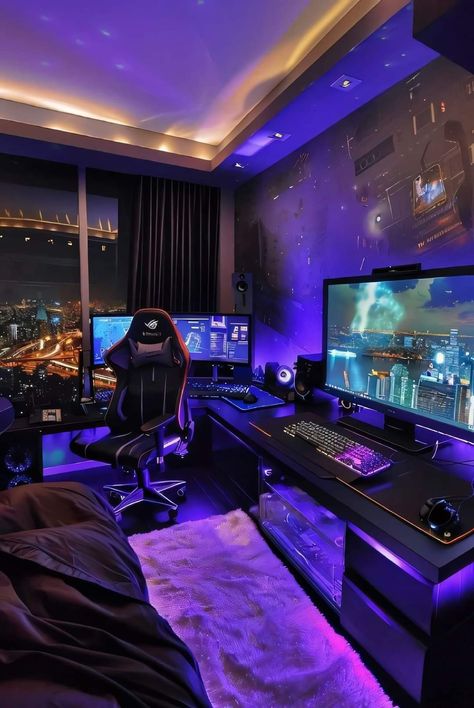
Building the ultimate gaming setup is a journey of passion and personalization. It’s about creating an immersive and enjoyable experience that enhances your gaming prowess. This guide will walk you through the key steps:
1. Define Your Needs & Budget
- Gaming Style: Identify your primary gaming genres Gaming Setup(e.g., fast-paced shooters, RPGs, strategy games). This will influence your hardware choices.
- Budget: Determine your overall budget. Gaming setups can range from budget-friendly to high-end.
- Space: Assess the available space in your gaming area. Consider the size of your desk, monitor(s), and other peripherals.
2. The Foundation: Your Gaming PC/Console
- PC:
- CPU: A powerful CPU like an Intel Core i7 or i9, or an AMD Ryzen 7 or 9, is crucial for demanding games.
- GPU: Invest in a high-end graphics card like an NVIDIA GeForce RTX 40 series or an AMD Radeon RX 7000 series for smooth gameplay at high resolutions and frame rates.
- RAM: 16GB of RAM is a good starting point, but 32GB is recommended for demanding games and multitasking.
- Storage: Use an SSD for your operating system and frequently played games for faster loading times. Consider adding a larger HDD for storage.
- Console:
- Choose the console that best suits your gaming preferences and available titles (PlayStation, Xbox, Nintendo Switch).
3. The Visuals: Display and Peripherals
- Monitor:
- Size: 24-32 inches is a common range.2 Consider your space and desired immersion.
- Resolution: Aim for 1080p or higher (1440p or 4K for the best experience).
- Refresh Rate: A high refresh rate (144Hz or higher) provides smoother gameplay, especially for fast-paced games.3
- Response Time: A low response time (1ms or lower) minimizes motion blur.
- Keyboard:
- Mechanical keyboards offer superior responsiveness.4 Consider features like RGB lighting and customizable macros.
- Mouse:
- Choose a gaming mouse with adjustable DPI (dots per inch) for precise aiming and customizable buttons.
- Headset:
- A high-quality headset with immersive surround sound is essential for clear communication and an immersive audio experience.
4. Ergonomics and Comfort
- Desk:
- Invest in a sturdy and adjustable desk to ensure proper posture and comfort during long gaming sessions.
- Chair:
- A comfortable and supportive gaming chair with adjustable height and lumbar support is crucial for long gaming sessions.
- Lighting:
- Use ambient lighting to create a comfortable and relaxing atmosphere. Consider desk lamps, LED strips, or even a smart lighting system.
5. Optimize Your Setup
- Cable Management: Keep your setup organized and clutter-free with cable management solutions.
- Aesthetics: Add personal touches like posters, figurines, or plants to reflect your gaming style and personality.
- Software Optimization: Optimize in-game settings to balance visual quality with performance.
6. Maintenance and Upgrades
- Regular Maintenance: Keep your system clean and well-maintained by regularly dusting, cleaning fans, and updating drivers.5
- Software Updates: Keep your operating system and game software updated for the best performance and security.
- Future Upgrades: Stay informed about the latest hardware and software advancements to continuously improve your gaming setup.
By following these steps and carefully considering your individual needs and preferences, you can create a gaming setup that is not only powerful and responsive but also comfortable, stylish, and a true reflection of your gaming passion.
